TypeScript Lambda
Deploy TypeScript lambda to AWS with ease.
Features
- Write AWS Lambda functions in TypeScript
- TypeScript is automatically transpiled and bundled into JavaScript using
deno bundle. - Automatically bundle source code and other files into .zip archives for Lambda deployment
- Automatically creates a dedicated IAM role for each Lambda function
Source Code
- my-lambda.tsx
- dinghy.config.yml
- alb-handler.ts
- api-gateway-handler.ts
import { AwsStack } from '@dinghy/tf-aws'
import { LambdaFunctions } from '@dinghy/tf-aws/lambda'

export default () => (
  <AwsStack>
    <LambdaFunctions />
  </AwsStack>
)
# s3Backend: # if you want to use a S3 bucket as backend
#   bucket: my-unique-s3-backend-bucket
# awsProvider: # if you want to use a specific AWS region
#   region: eu-west-1
# lambdas:
#   alb-handler: # optional customizations
#     # schema reference: https://registry.terraform.io/providers/hashicorp/aws/latest/docs/resources/lambda_function
#     runtime: nodejs22.x
#     memory_size: 256
#     timeout: 60
#     environment:
#       variables:
#         NODE_ENV: production
#     architectures:
#       - arm64
import { ALBEvent, ALBHandler, ALBResult } from 'aws-lambda'

export const handler: ALBHandler = async (
  event: ALBEvent,
): Promise<ALBResult> => {
  const message = 'Hello World from TypeScript!'
  const response = await fetch('https://httpbin.org/get')
  const httpbin = await response.json()
  const body = JSON.stringify({
    message,
    event,
    httpbin,
  })

  return {
    isBase64Encoded: false,
    statusCode: 200,
    statusDescription: '200 OK',
    headers: { 'Content-Type': 'application/json' },
    body,
  }
}
import {
  APIGatewayProxyEvent,
  APIGatewayProxyResult,
  Handler,
} from 'aws-lambda'

export const handler: Handler = async (
  event: APIGatewayProxyEvent,
): Promise<APIGatewayProxyResult> => {
  const message = 'Hello World from TypeScript!'
  const response = await fetch('https://httpbin.org/get')
  const httpbin = await response.json()
  const body = JSON.stringify({
    message,
    event,
    httpbin,
  })

  return {
    isBase64Encoded: false,
    statusCode: 200,
    headers: { 'Content-Type': 'application/json' },
    body,
  }
}
Outputs
- Overview
- All View
- Terraform
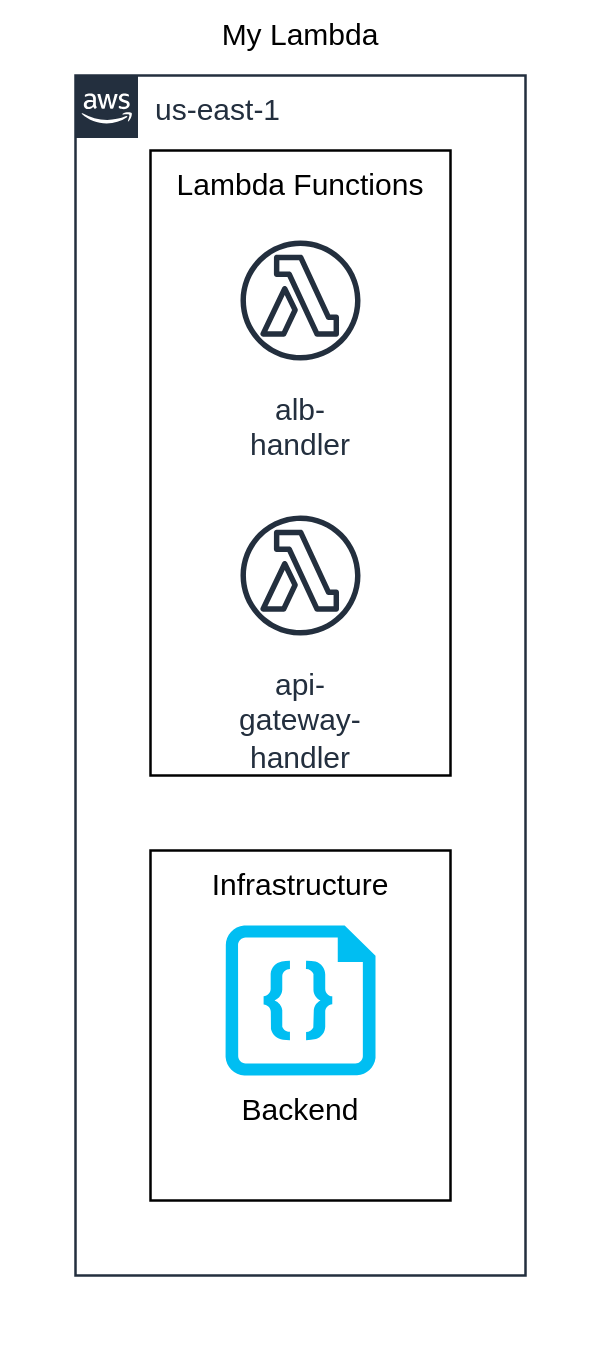
All elements without filter 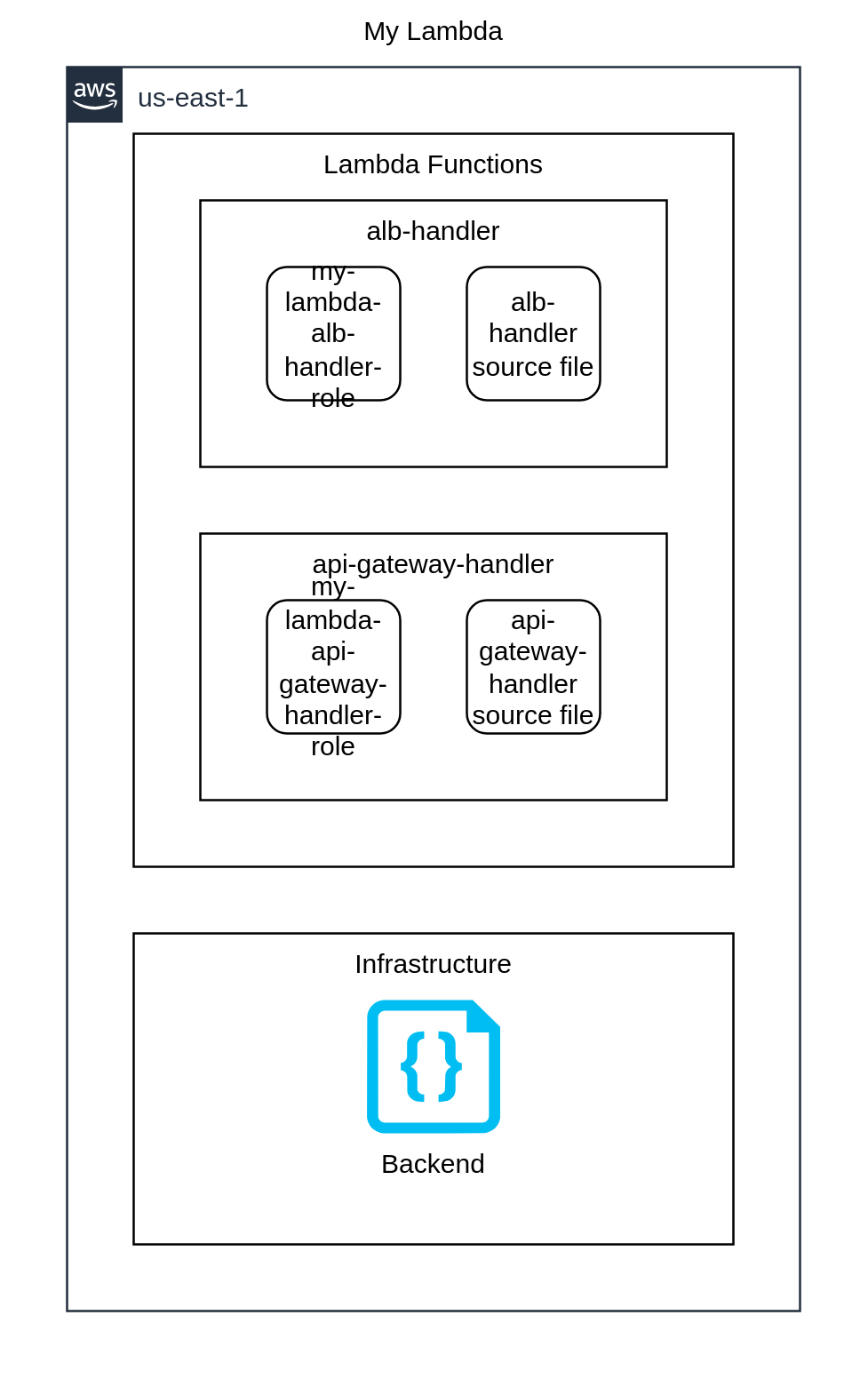
{
  "provider": {
    "aws": [
      {
        "region": "us-east-1",
        "default_tags": {
          "tags": {
            "iac:stack-title": "My Lambda",
            "iac:stack-name": "my-lambda"
          }
        }
      }
    ]
  },
  "terraform": {
    "required_providers": {
      "aws": {
        "source": "aws",
        "version": "6.44.0"
      },
      "archive": {
        "source": "archive",
        "version": "2.7.1"
      }
    },
    "backend": {
      "local": {
        "path": "stack.tfstate.json"
      }
    }
  },
  "resource": {
    "aws_lambda_function": {
      "awslambdafunction_albhandler": {
        "function_name": "alb-handler",
        "role": "${aws_iam_role.awsiamrole_mylambdaalbhandlerrole.arn}",
        "code_sha256": "${data.archive_file.archivefile_albhandlersourcefile.output_base64sha256}",
        "filename": "/workspace/typescript-lambda/output/lambdas/alb-handler.zip",
        "handler": "index.handler",
        "runtime": "nodejs24.x",
        "timeout": 30,
        "depends_on": [
          "aws_iam_role.awsiamrole_mylambdaalbhandlerrole"
        ],
        "tags": {
          "Name": "alb-handler",
          "iac:id": "awslambdafunction_albhandler"
        }
      },
      "awslambdafunction_apigatewayhandler": {
        "function_name": "api-gateway-handler",
        "role": "${aws_iam_role.awsiamrole_mylambdaapigatewayhandlerrole.arn}",
        "code_sha256": "${data.archive_file.archivefile_apigatewayhandlersourcefile.output_base64sha256}",
        "filename": "/workspace/typescript-lambda/output/lambdas/api-gateway-handler.zip",
        "handler": "index.handler",
        "runtime": "nodejs24.x",
        "timeout": 30,
        "depends_on": [
          "aws_iam_role.awsiamrole_mylambdaapigatewayhandlerrole"
        ],
        "tags": {
          "Name": "api-gateway-handler",
          "iac:id": "awslambdafunction_apigatewayhandler"
        }
      }
    },
    "aws_iam_role": {
      "awsiamrole_mylambdaalbhandlerrole": {
        "assume_role_policy": "{\"Version\":\"2012-10-17\",\"Statement\":[{\"Effect\":\"Allow\",\"Principal\":{\"Service\":\"lambda.amazonaws.com\"},\"Action\":\"sts:AssumeRole\"}]}",
        "name": "my-lambda-alb-handler-role",
        "tags": {
          "Name": "my-lambda-alb-handler-role",
          "iac:id": "awsiamrole_mylambdaalbhandlerrole"
        }
      },
      "awsiamrole_mylambdaapigatewayhandlerrole": {
        "assume_role_policy": "{\"Version\":\"2012-10-17\",\"Statement\":[{\"Effect\":\"Allow\",\"Principal\":{\"Service\":\"lambda.amazonaws.com\"},\"Action\":\"sts:AssumeRole\"}]}",
        "name": "my-lambda-api-gateway-handler-role",
        "tags": {
          "Name": "my-lambda-api-gateway-handler-role",
          "iac:id": "awsiamrole_mylambdaapigatewayhandlerrole"
        }
      }
    }
  },
  "data": {
    "archive_file": {
      "archivefile_albhandlersourcefile": {
        "output_path": "/workspace/typescript-lambda/output/lambdas/alb-handler.zip",
        "type": "zip",
        "source_dir": "/workspace/typescript-lambda/output/lambdas/alb-handler"
      },
      "archivefile_apigatewayhandlersourcefile": {
        "output_path": "/workspace/typescript-lambda/output/lambdas/api-gateway-handler.zip",
        "type": "zip",
        "source_dir": "/workspace/typescript-lambda/output/lambdas/api-gateway-handler"
      }
    }
  }
}
Resource types
List of resource types used by this stack, in approximate order of creation:
Steps to try
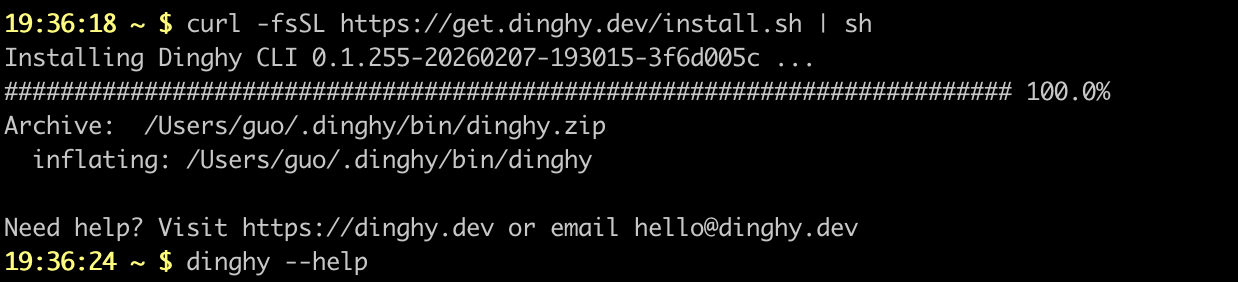
Install dinghy-cli
If you haven't already:
curl -fsSL https://get.dinghy.dev/install.sh | sh
Sample Screenshot
Prepare source code
Create my-lambda.tsx and other files with content from above.
curl -fsSL --create-dirs -o typescript-lambda/my-lambda.tsx https://raw.githubusercontent.com/dinghydev/dinghy/main/sites/www/src/docs/examples/show-cases/typescript-lambda/my-lambda.tsx
curl -fsSL --create-dirs -o typescript-lambda/dinghy.config.yml https://raw.githubusercontent.com/dinghydev/dinghy/main/sites/www/src/docs/examples/show-cases/typescript-lambda/dinghy.config.yml
cd typescript-lambda

curl -fsSL --create-dirs -o src/lambdas/alb-handler.ts https://raw.githubusercontent.com/dinghydev/dinghy/main/sites/www/src/docs/examples/show-cases/typescript-lambda/src/lambdas/alb-handler.ts
curl -fsSL --create-dirs -o src/lambdas/api-gateway-handler.ts https://raw.githubusercontent.com/dinghydev/dinghy/main/sites/www/src/docs/examples/show-cases/typescript-lambda/src/lambdas/api-gateway-handler.ts
Preview the actions
Run dinghy tf diff to preview the Terraform actions that will be performed.
Make sure your AWS credentials are configured before interacting with AWS services.
dinghy tf diff
Sample Screenshot

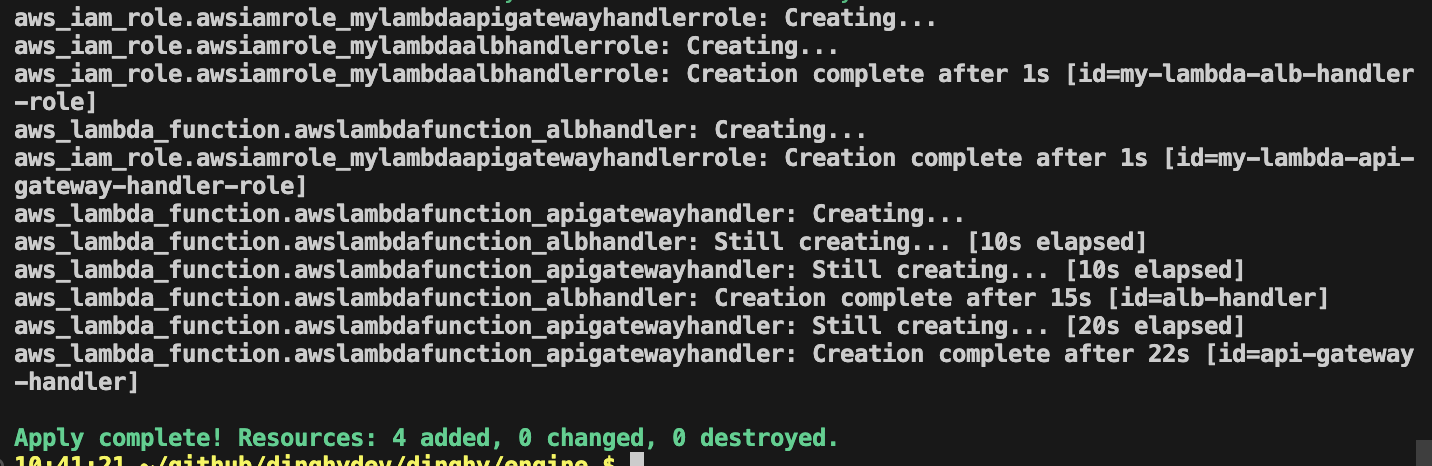
Apply the actions
Run dinghy tf deploy to apply the changes and provision your resources.
dinghy tf deploy
Sample Screenshot
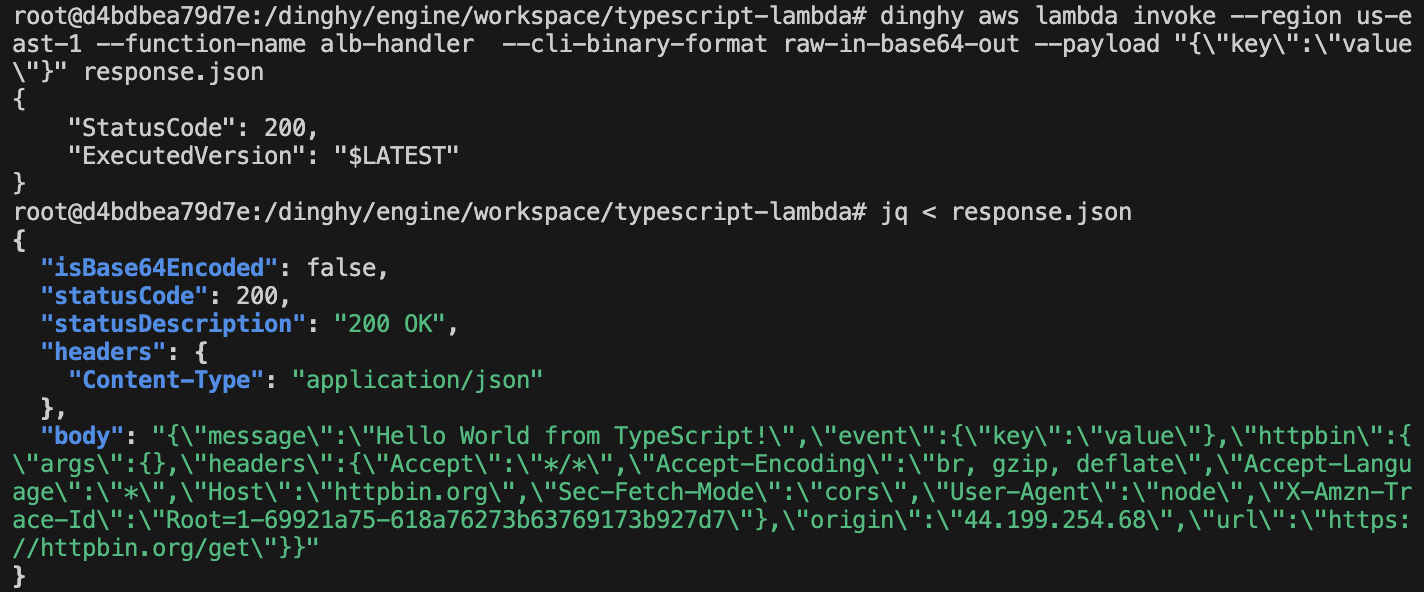
Invoke the lambdas
To test your newly deployed Lambda functions, use the dinghy aws command.
dinghy aws lambda invoke --function-name alb-handler --region us-east-1 --cli-binary-format raw-in-base64-out --payload "{\"key\":\"value\"}" response.json
Sample Screenshot
Develop with devcontainer
You can launch a fully functional development environment by opening the project in a VS Code DevContainer:
dinghy dc
Destroy resources
After experimenting, run dinghy tf destroy to remove all resources created in the previous steps.