Installation
Prerequisites
The prerequisites listed below (Shell environment, unzip or 7z, and Docker) are commonly used by developers and widely available on most platforms.
Shell environment
The Shell installer can be used on Windows with Windows Subsystem for Linux or equivalent set of tools.
Unzip or 7z
To decompress the dinghy archive, one of either
unzip or
7z must be available on the target system.
You can install unzip via brew install unzip on MacOS or
sudo apt-get install unzip -y on Linux.
Docker
Docker is not required during installation, however it's required during runtime as it's the fundation of how we delivery the software packages. You may install Docker from https://docs.docker.com/get-started/get-docker/
Install
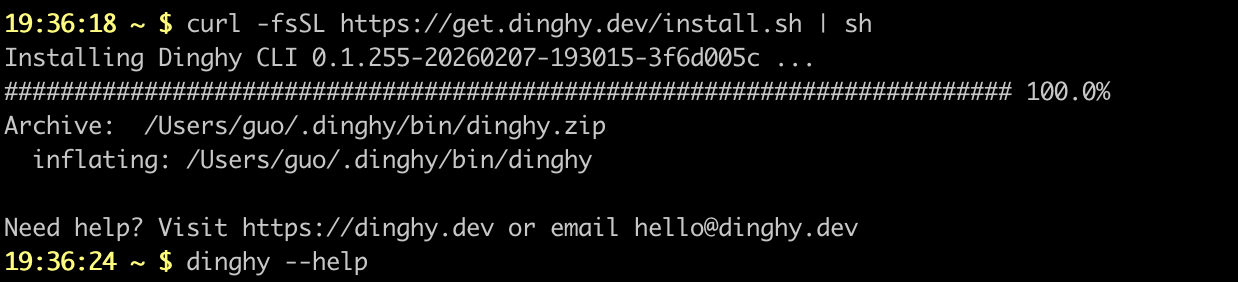
Install the latest Dinghy Cli on your system using the terminal command:
curl -fsSL https://get.dinghy.dev/install.sh | sh
It will
- use
curlto download the platform specific zip package - unzip use
unzipor7zto target installation location - run
dinghy postinstallto complete the installation process
Sample Screenshot
Install options
The installation script taken additional options from environment variables for advanced use cases e.g. to install specific version of Dinghy Cli:
curl -fsSL https://dinghy.dev/install.sh | DINGHY_VERSION=1.2.3 sh
| Name | Description | Default |
|---|---|---|
DINGHY_HOME | Installation target folder | $HOME/.dinghy |
DINGHY_VERSION | Dinghy Cli version to install | latest |
Upgrade
To update a previously installed version of Dinghy Cli, you can run:
dinghy upgrade
This will fetch the latest release, unzip it, and replace your current executable with it. See dinghy upgrade reference for more details.