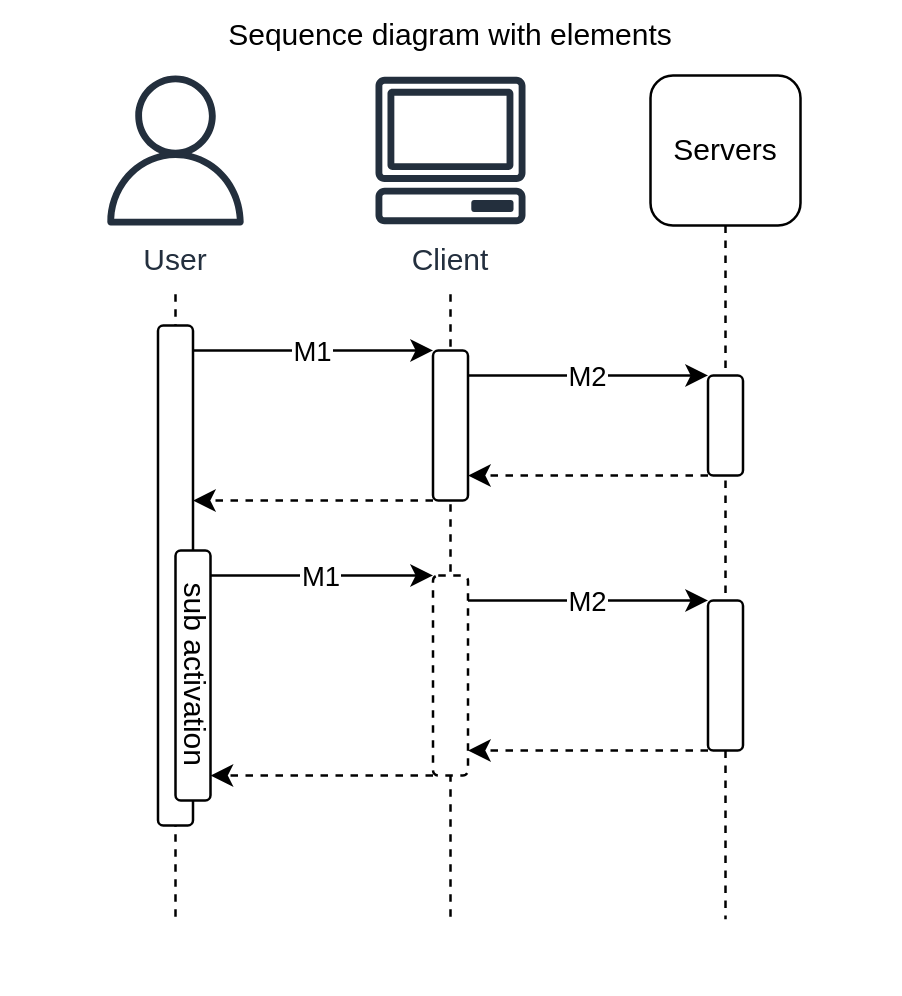
With Elements
Build sequence diagram with raw elements and custom controls
- Source
- Diagram
app.tsx
import { Shape } from '@dinghy/base-components'
import {
  Activation,
  Message,
  Participant,
} from '@dinghy/diagrams/sequenceDiagram'

import {
  Client,
  Servers,
  User,
} from '@dinghy/diagrams/entitiesAwsGeneralResources'

export default () => (
  <Shape title='Sequence diagram with elements'>
    <Participant
      icon={User}
      lifelineHeight={250}
      paddingX={50}
      paddingY={15}
      _width={60}
      _height={60}
    >
      <Activation
        _x={-7}
        _y={10}
        _height={200}
        _width={14}
      />
      <Activation
        title='sub activation'
        _x={0}
        _y={100}
        _height={100}
        _width={14}
      />
      <Message
        title='M1'
        paddingX={10}
        source={{
          x: 7,
          y: 20,
        }}
        target={{
          x: 103,
          y: 20,
        }}
      />
      <Message
        title='M1'
        paddingX={10}
        source={{
          x: 14,
          y: 110,
        }}
        target={{
          x: 103,
          y: 110,
        }}
      />
    </Participant>
    <Participant
      icon={Client}
      lifelineHeight={250}
      paddingX={50}
      paddingY={15}
      _width={60}
      _height={60}
    >
      <Activation
        _x={-7}
        _y={20}
        _height={60}
        _width={14}
      />
      <Activation
        _x={-7}
        _y={110}
        _height={80}
        _width={14}
        _display='inactive'
      />
      <Message
        title='M2'
        paddingX={10}
        source={{
          x: 7,
          y: 30,
        }}
        target={{
          x: 103,
          y: 30,
        }}
      />
      <Message
        dashed
        paddingX={10}
        source={{
          x: -7,
          y: 80,
        }}
        target={{
          x: -103,
          y: 80,
        }}
      />
      <Message
        title='M2'
        paddingX={10}
        source={{
          x: 7,
          y: 120,
        }}
        target={{
          x: 103,
          y: 120,
        }}
      />
      <Message
        dashed
        paddingX={10}
        source={{
          x: -7,
          y: 190,
        }}
        target={{
          x: -96,
          y: 190,
        }}
      />
    </Participant>
    <Participant
      title='Servers'
      xicon={Servers}
      lifelineHeight={250}
      paddingX={50}
      paddingY={15}
      _width={60}
      _height={60}
    >
      <Activation
        _x={-7}
        _y={30}
        _height={40}
        _width={14}
      />
      <Activation
        _x={-7}
        _y={120}
        _height={60}
        _width={14}
      />
      <Message
        dashed
        paddingX={10}
        source={{
          x: -7,
          y: 70,
        }}
        target={{
          x: -103,
          y: 70,
        }}
      />
      <Message
        dashed
        paddingX={10}
        source={{
          x: -7,
          y: 180,
        }}
        target={{
          x: -103,
          y: 180,
        }}
      />
    </Participant>
  </Shape>
)